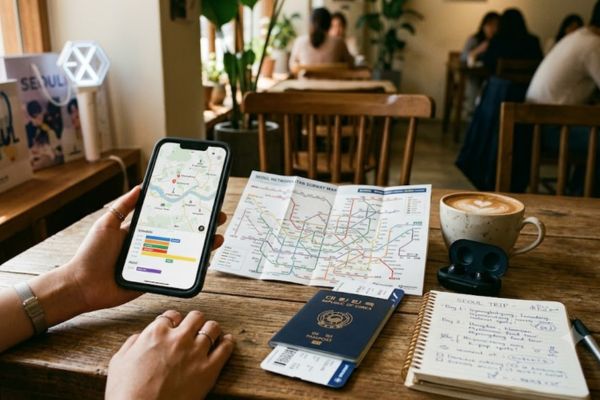
One thing we learned pretty quickly after moving to Korea?
Your trip gets a lot easier once your phone is ready.
Seriously.
We’ve seen people spend 20 minutes trying to find the right subway exit because Google Maps couldn’t give them proper walking directions. We’ve also watched friends panic outside a concert venue because they couldn’t open their ticket confirmation.
None of those problems are fun when you’re standing in the middle of Seoul.
The good news? You don’t need to download 30 different apps before your trip.
If we were flying to Korea tomorrow with a brand-new phone, these are the apps we’d install first.
The Apps We’d Download Again Without Thinking
Naver Map
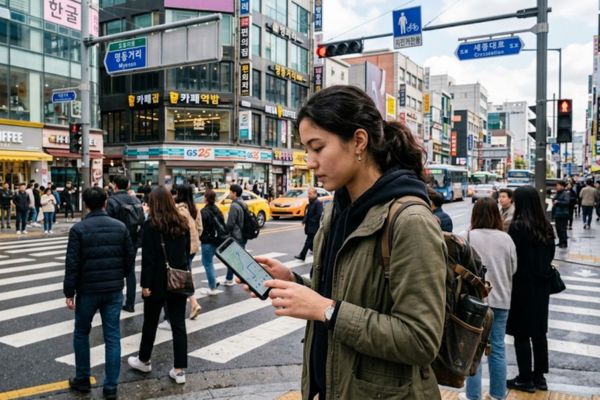
If we could only keep one app on our phones…
It would probably be Naver Map.
Google Maps works in many countries, but Korea is different. Because of local mapping regulations, Google Maps doesn’t always provide full walking directions or public transport information. That’s why locals—and honestly, almost everyone who lives here—uses Naver Map instead.
We’ve gotten so used to opening Naver Map that using Google Maps in Korea now feels… weird. 😅
Why we keep using it:
✅ Walking directions that actually work
✅ Subway and bus routes
✅ Restaurant ratings from locals
✅ Real-time travel information
💡 Good to know
Most popular places can be searched in English, but if something doesn’t show up, try copying the Korean name from Google or Instagram.
Papago

We like to think our Korean has improved.
Then we open a restaurant menu and immediately reach for Papago.
😂
Made by Naver, Papago is easily one of the most useful translation apps for travelers in Korea. It’s great for translating menus, signs, product labels, and even event notices at pop-up stores or concerts.
It also handles Korean much more naturally than many general translation apps.
We usually use it for…
- Reading café menus
- Translating concert announcements
- Understanding event rules
- Checking skincare ingredients
- Asking simple questions
Don’t expect perfect translations every time.
But it’ll definitely save you from accidentally ordering something completely different than you expected.
Kakao Metro
This app doesn’t get talked about enough.
Everyone recommends Naver Map—and you should absolutely download it—but Kakao Metro is fantastic if you’ll be using Seoul’s subway every day.
The interface is simple, train routes are easy to understand, and it tells you which subway car is closest to the exit you need.
That might sound like a small detail.
Until you’ve walked the entire length of Seoul Station because you got off at the wrong end.
(We’ve all been there… once. 😅)
Best for
✅ Subway transfers
✅ Exit information
✅ Travel times
✅ First-time visitors
Kakao T

You’ll probably use the subway most of the time.
But after a concert ends at 10:30 PM and your feet have officially given up…
Kakao T suddenly becomes your best friend.
It’s Korea’s most popular taxi app, and it’s especially useful if you’re carrying albums, merchandise, or simply don’t feel like standing on another train after walking 20,000 steps.
Trust us.
Your future self will appreciate this download.
Weverse
Even if you’re not planning to buy concert tickets, we’d still recommend downloading Weverse if you follow artists under HYBE—or any artist who actively uses the platform.
Besides artist updates, Weverse is also where fan club memberships, official announcements, and some presale information are shared.
We’ve seen quite a few fans download it after arriving in Korea…
Usually while trying to figure out why everyone else already knew about an event.
Downloading it early just makes life easier.
Also read: How to Buy K-pop Concert Tickets in Korea: A Guide for International Fans
Interpark Global (or Whatever Platform Your Concert Uses)
Here’s a mistake we’d avoid every single time.
Don’t wait until ticketing day to create your account.
Seriously.
Spend five minutes setting it up before your trip—or at least a few days before ticket sales open.
You’ll thank yourself later when everyone else is resetting forgotten passwords while the queue is already moving.
😅 We’ve seen that happen more times than we’d like.
Climate Card
If you’re staying in Seoul for a few days and planning to explore the city mostly by subway and bus, you’ll probably come across something called the Climate Card.
Is it worth getting?
Our answer is…
It depends on your itinerary.
If you’re spending most of your trip in Seoul and taking public transport several times a day, it can save you money. But if you’re only planning one or two subway rides daily—or you’re taking day trips outside Seoul—it may not be the best option.
We’d decide after planning the itinerary first, not the other way around.
💡 Our rule
Don’t buy a transport pass just because everyone else is talking about it.
Buy it because it actually fits your trip.
Google Translate
Wait…
Didn’t we just tell you to download Papago?
Yep.
But we’d still keep Google Translate as a backup.
Papago is generally better for Korean, especially when translating menus or signs. Google Translate, on the other hand, is still useful if you’re translating other languages during your trip or using features you’re already familiar with.
Think of Papago as your starter.
Google Translate is your backup player.
Google Maps
This one surprises a lot of people.
Yes, we’d still keep Google Maps installed.
Not because it’s the best navigation app in Korea—but because it’s still useful for saving places before your trip, reading reviews from international travelers, and checking photos of cafés or attractions.
Once you’re actually walking around Seoul, though…
We’ll almost always switch back to Naver Map.
Old habits. 😄
Also read: Best Areas to Stay in Seoul for K-pop Fans
Apps We’d Skip (Unless You Actually Need Them)
Not every app deserves storage space on your phone.
These are the ones we’d only download for specific situations.
| App | Download it if… |
|---|---|
| Catchtable | You want to reserve popular restaurants. |
| Shuttle Delivery | You’re staying longer and want food delivery. |
| Coupang Eats | Similar to Shuttle, but usually more useful if you have a Korean number. |
| Korail | You’re taking the KTX to cities like Busan or Gyeongju. |
Could you survive without these?
Absolutely.
That’s why we don’t think they’re “must-download” apps for everyone.
If We Could Only Keep Five Apps…
Okay… Imagine your phone suddenly says Storage Full. Painful. Which apps would we refuse to delete?
Here’s our list.
🥇 Naver Map. Because getting lost isn’t part of the itinerary.
🥈 Papago. Because Korean menus have a special talent for introducing words we’ve never seen before.
🥉 Kakao Metro. Especially if we’re hopping between different neighborhoods every day.
🏅 Kakao T. Our lifesaver after concerts and long shopping days.
⭐ Weverse. Because somehow the announcement you need always appears when you’re least expecting it.
Would our list be different for every traveler?
Probably.
But if you’re visiting Korea mainly for K-pop, we’d feel pretty confident recommending these five.
Before Your Flight, Download These First
Here’s the checklist we’d actually use.
Must-have:
☑️ Naver Map
☑️ Papago
☑️ Kakao Metro
☑️ Kakao T
If you’re attending a concert:
☑️ Weverse
☑️ The official ticketing app (Interpark Global, YES24 Global, Ticketlink Global, or whichever platform your concert uses)
If you’re travelling outside Seoul:
☑️ Korail
Nice to have:
☑️ Google Maps
☑️ Google Translate
It takes maybe ten minutes to download everything.
It could easily save you a few hours once you’re here.
Also read: Visiting a Birthday Café in Korea? Read This First
Final Thoughts
If there’s one thing we’d do before every Korea trip, it wouldn’t be packing another hoodie.
It’d be setting up our phone.
Having the right apps won’t magically make you fluent in Korean or guarantee you’ll never get lost.
But they will make everyday moments a lot smoother—whether that’s finding the right subway exit, reading a café menu, or figuring out where the latest K-pop pop-up is happening.
And honestly?
That’s more time you get to spend enjoying Korea instead of staring at your phone wondering why Google Maps just told you to walk through a building.
Yeah…
We’ve been there too. 😅